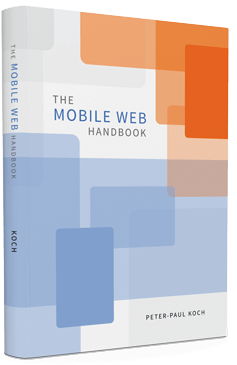
This section contains my official mobile pages. They
treat various aspects of mobile web development.
| General |
|---|
|
Mobile blog posts
|
Blog posts about various mobile topics. |
| Touch events |
|---|
|
Touch action compatibility table
|
What happens when the user touches a screen of a touchscreen? Concentrates on the events. |
|
Preventing the default
|
When returning false from an event handler, or calling preventDefault(), the action’s default (scrolling, following a link, etc.) should be prevented. Does this actually happen? |
|
Click delay
|
Browsers delay for about 300ms before firing a click event when you touch the screen. This behaviour can be cancelled — in some browsers, in some ways. |
| The three viewports |
|---|
|
Overview
|
A quick overview table of the various viewport concepts. Sacrifices detail for broad view. |
|
A tale of two viewports — 1
|
In order to understand the viewport issue it’s best to start with desktop browsers
and learn how everything works there. |
|
A tale of two viewports — 2
|
Once you’ve understood the desktop browsers you can continue with the more complicated
state of affairs on mobile browsers. |
|
Viewports visualisation app
|
Play around to figure out how the viewports actually work. |
|
Viewport compatibility table
|
How to read out various interesting widths and heights. Media queries and meta viewport. Mouse coordinates. |
|
Viewport tests
|
Tests of the <meta viewport> tag. Introduces the third viewport. |
|
Devices and their ideal viewport
|
|
| Other |
|---|
|
Resize
|
The resize event on mobile. |
My most important conclusions.
My most important conclusions from 2010 and 2011.
|
|
10.1b |
n/a |
Yes |
No |
Yes |
No |
Yes |
No |
n/a |
No |
No |
n/a |
|
Touchstart, touchmove, touchend.
- Opera 10.1b (not before) supports the touch events. Only available for Android.
|
|
when you perform a touch action
|
Incomplete |
n/a |
Incomplete |
Almost |
Incomplete |
To be tested |
Almost |
To be tested |
To be tested |
To be tested |
To be tested |
n/a |
Incomplete |
Almost |
Almost |
Minimal |
To be tested |
n/a |
|
Interface and legacy events. The latter are generally well supported, the former aren’t.
|
|
|
Yes |
Yes |
Yes |
No |
@media all and (max-width: 400px) {
	// styles assigned when width is smaller than 400px;
}
A Yes here means that the browser gets its dimension information from the correct JavaScript
properties. Unfortunately those properties may contain false information.
|
|
|
Yes |
No |
Yes |
No |
Yes |
Buggy |
Yes |
No |
Yes |
No |
Yes |
No |
Yes |
No |
<meta name="viewport" content="width = 380">
<meta name="viewport" content="width = device-width">
- Opera Mobile 10.10 does not allow any zooming in pages with a
<meta viewport>.
|
|
|
No |
n/a |
Yes |
No |
Yes |
n/a |
Yes |
No |
? |
n/a |
- Android from 2.0 on
- Safari from 3.x on
|
|
Appcache
You can’t do this test yourself.
|
No |
n/a |
Yes |
No |
Yes |
To be tested |
n/a |
Yes |
No |
No |
n/a |
|
|
|
SVG
External test. Pure SVG file; should be shown in the browser and not
downloaded.
|
Yes |
Yes |
No |
Ext |
Ext |
Yes |
No |
To be tested |
No |
Buggy |
Yes |
No |
ExtExternal SVG player.
- Interaction painfully slow or non-existent on S40.
- Not zoomable in Dolfin.
|
|
Flash
External test
on Adobe’s product page. Click the link in the Flash movie; the next page should also
load correctly. |
No |
No |
Yes |
Partial |
No |
Yes |
To be tested |
No |
No |
No |
- Only in Symbian WebKit 3 (N8), and even there it doesn’t load the second example.
|
|
|
Yes |
Yes |
To be tested |
Yes |
To be tested |
Yes |
To be tested |
Yes |
To be tested |
To be tested |
To be tested |
To be tested |
No |
Yes |
|
|